 TARKOV
Companion app for Escape from Tarkov · Windows
Know the map. Track the quest. Sell it right.
Your position on the map, your quests up to date, and prices while you loot. One app, on a second monitor or over the game.
Free, community-run · Windows 10 / 11 · zero game files touched
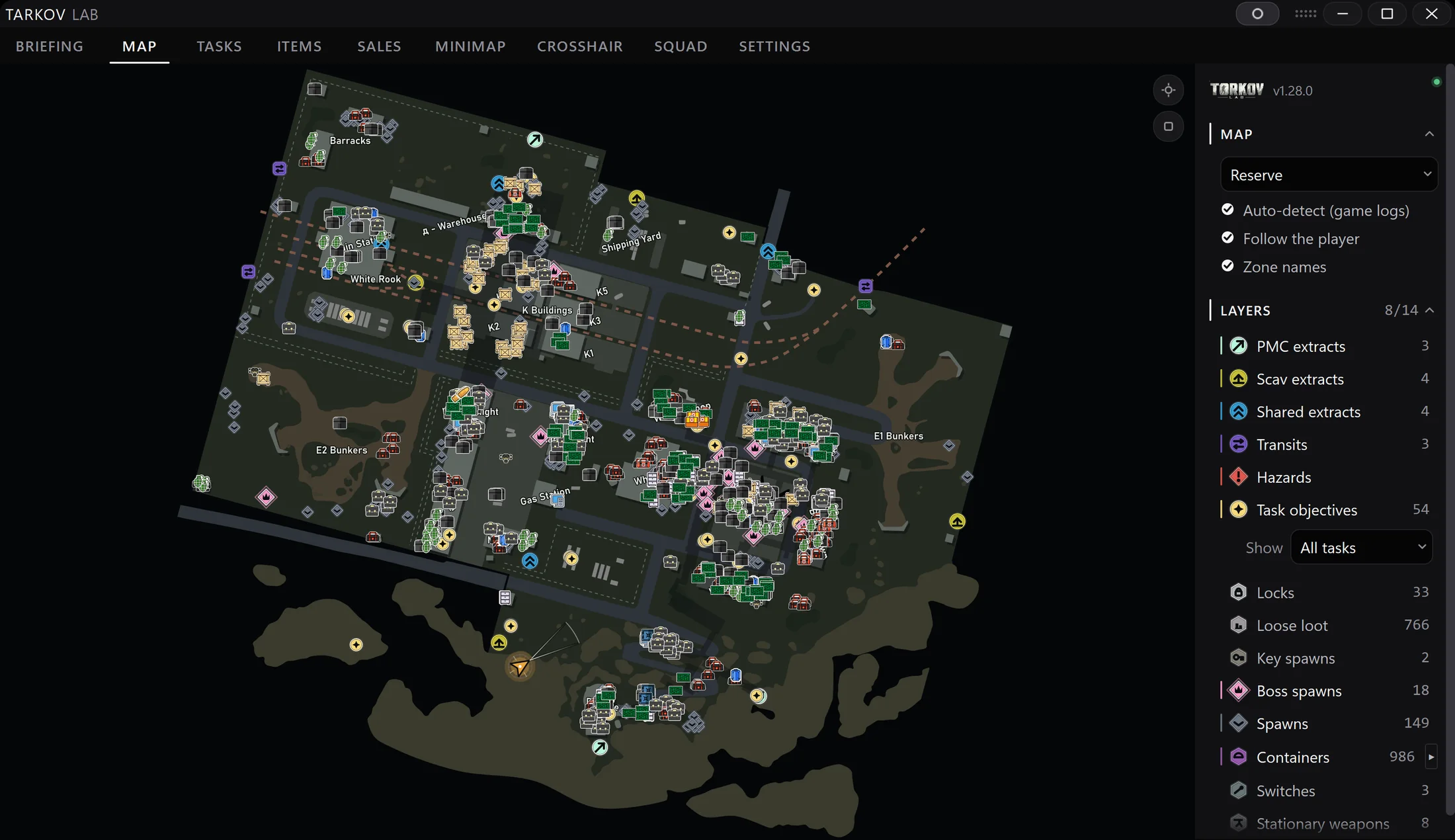
Interactive map · live positionReserve · 8/14 layers
The toolkit
What it does
Maps that follow you
Press one key in raid and see yourself on the map — floor, direction, extracts, objectives, loot layers.
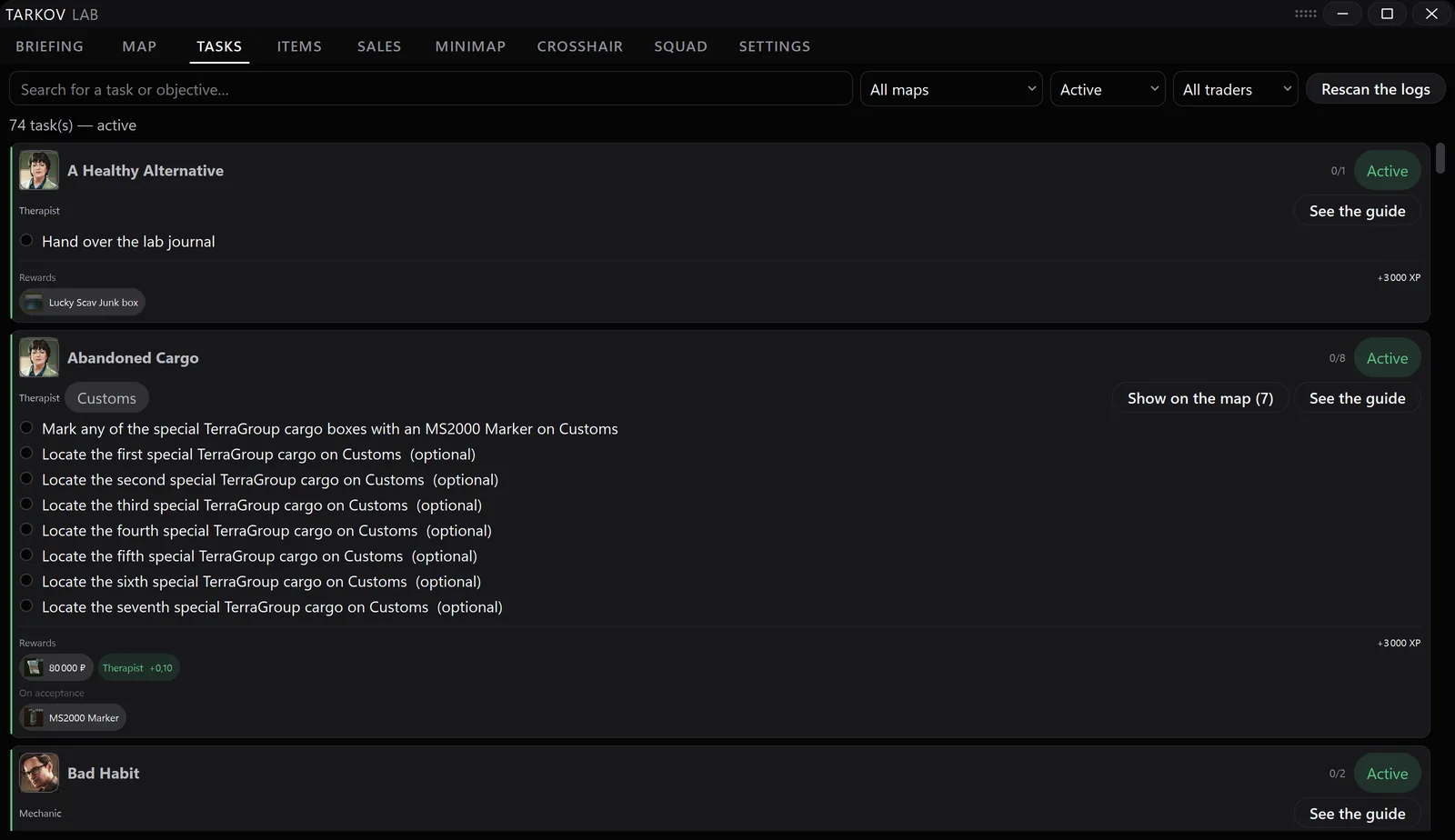
Quests
A quest log that tracks itself
Always current, filtered by trader and map, drawn straight onto the map — what to bring and where to go.
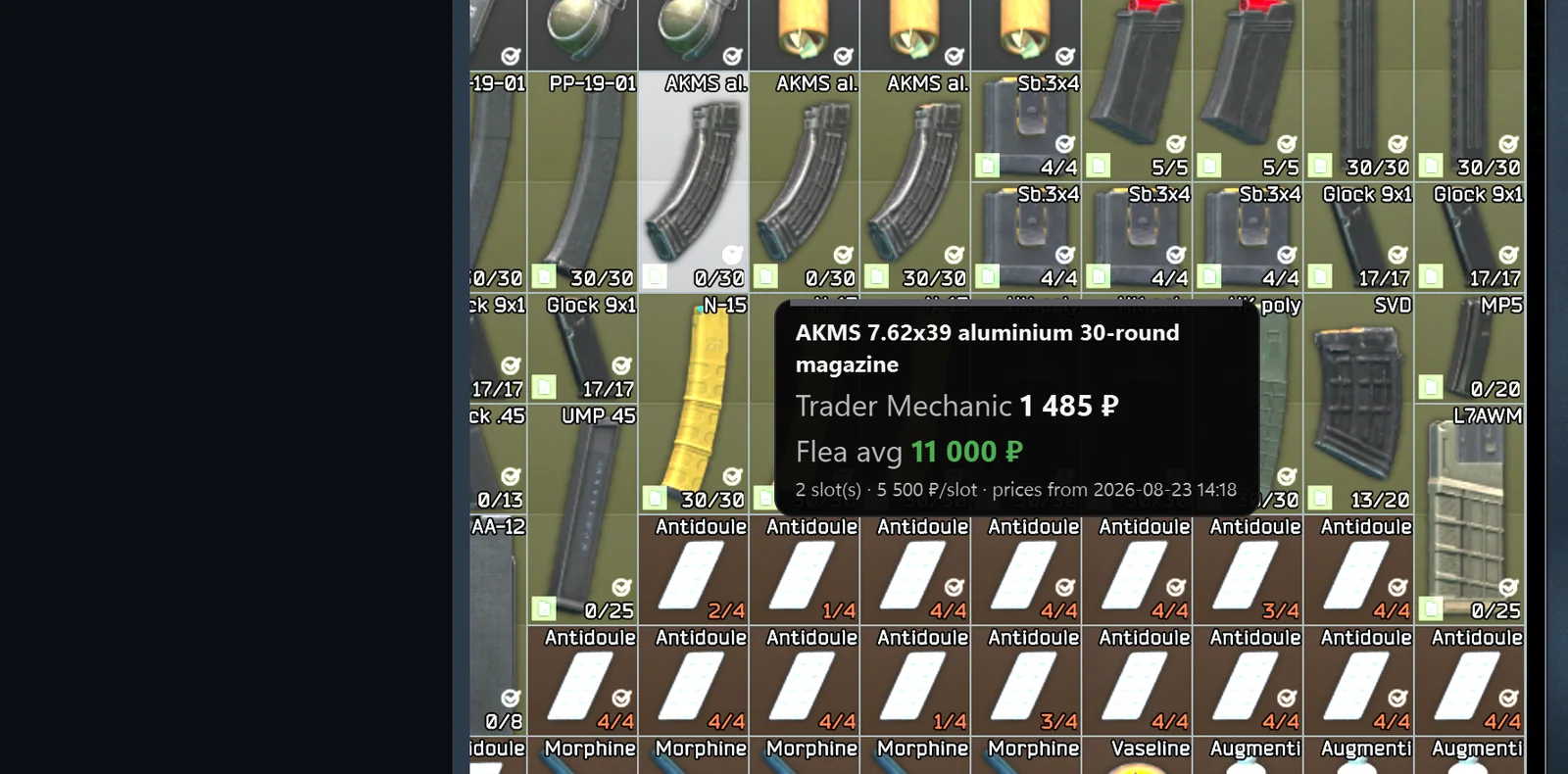
 Market
Prices without alt-tabbing
Hover an item in your stash and see its value, right over the game.
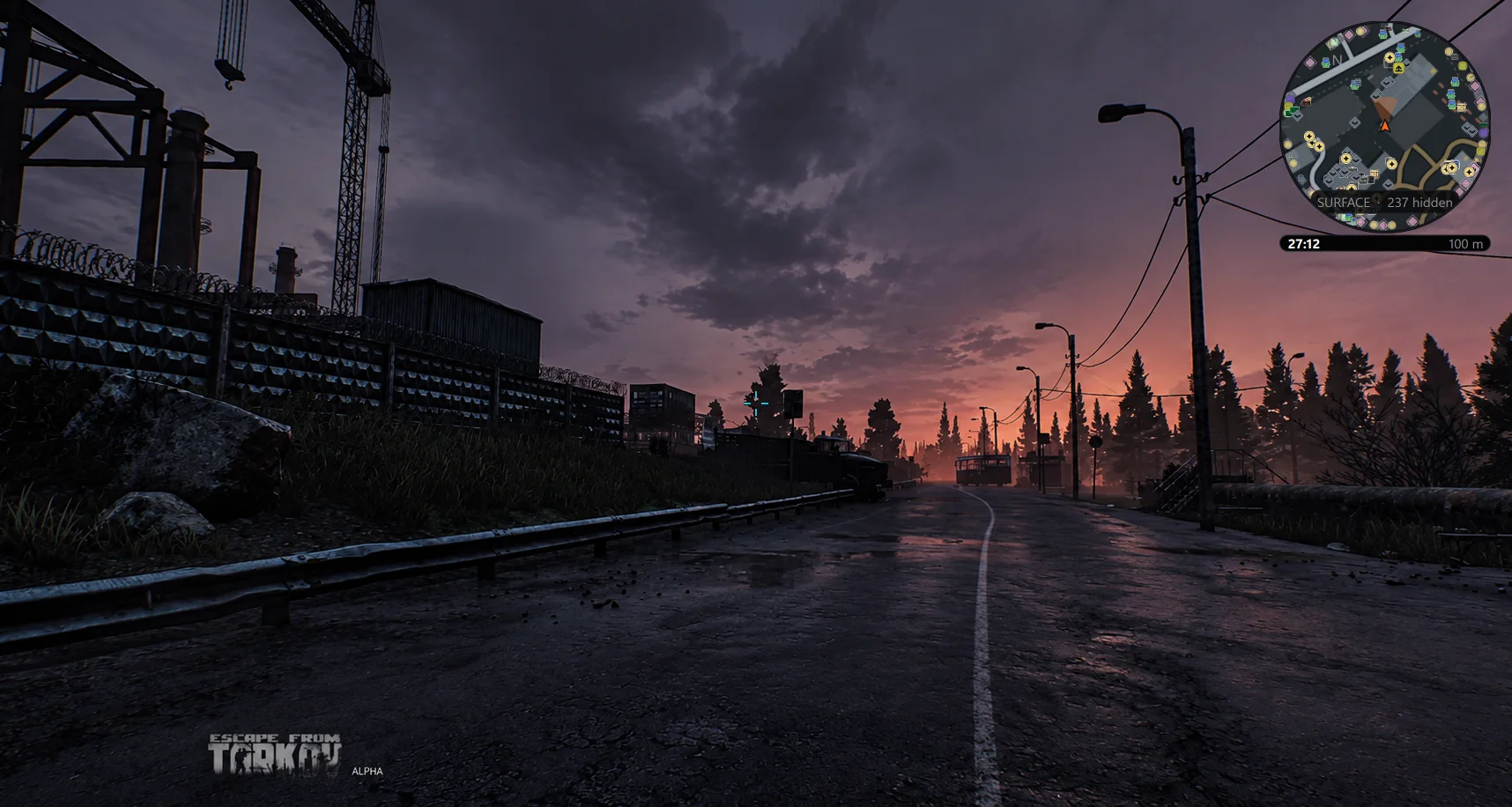
 Overlay
One screen or two
A minimap in the corner while you play — the full app on a second monitor.
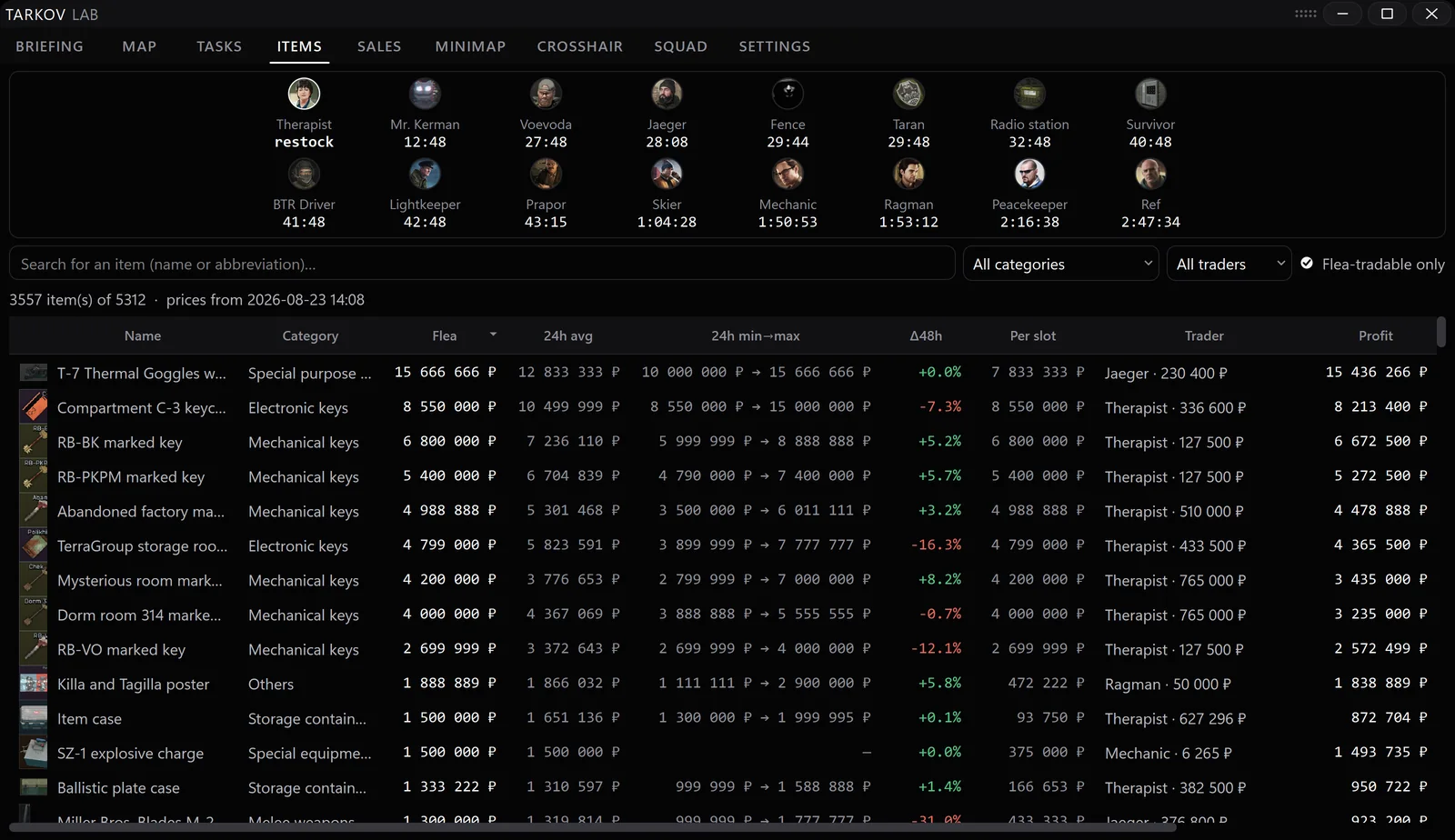
 Flea market
The whole flea
Every item in the game with live prices — you know what's worth keeping.
Our one rule
Next to the game. Never inside it.
Tarkov Lab is a separate desktop app. It runs beside Escape from Tarkov and never modifies the game.
What the app reads to find your position is analysed on your machine — it is not uploaded anywhere.
Some item data provided by tarkov.dev and the Escape from Tarkov wiki.
Three steps
In your next raid in minutes
Download
Get the installer from our Whop page — it’s free, it takes a minute.
Install
Run it on Windows 10 or 11. Updates arrive on their own from then on.
Play
Start Tarkov Lab next to the game — second monitor or overlay. That's it.
Try it on your next raid.
Free, community-run — download, install, raid.